
We create digital solutions that work for businesses
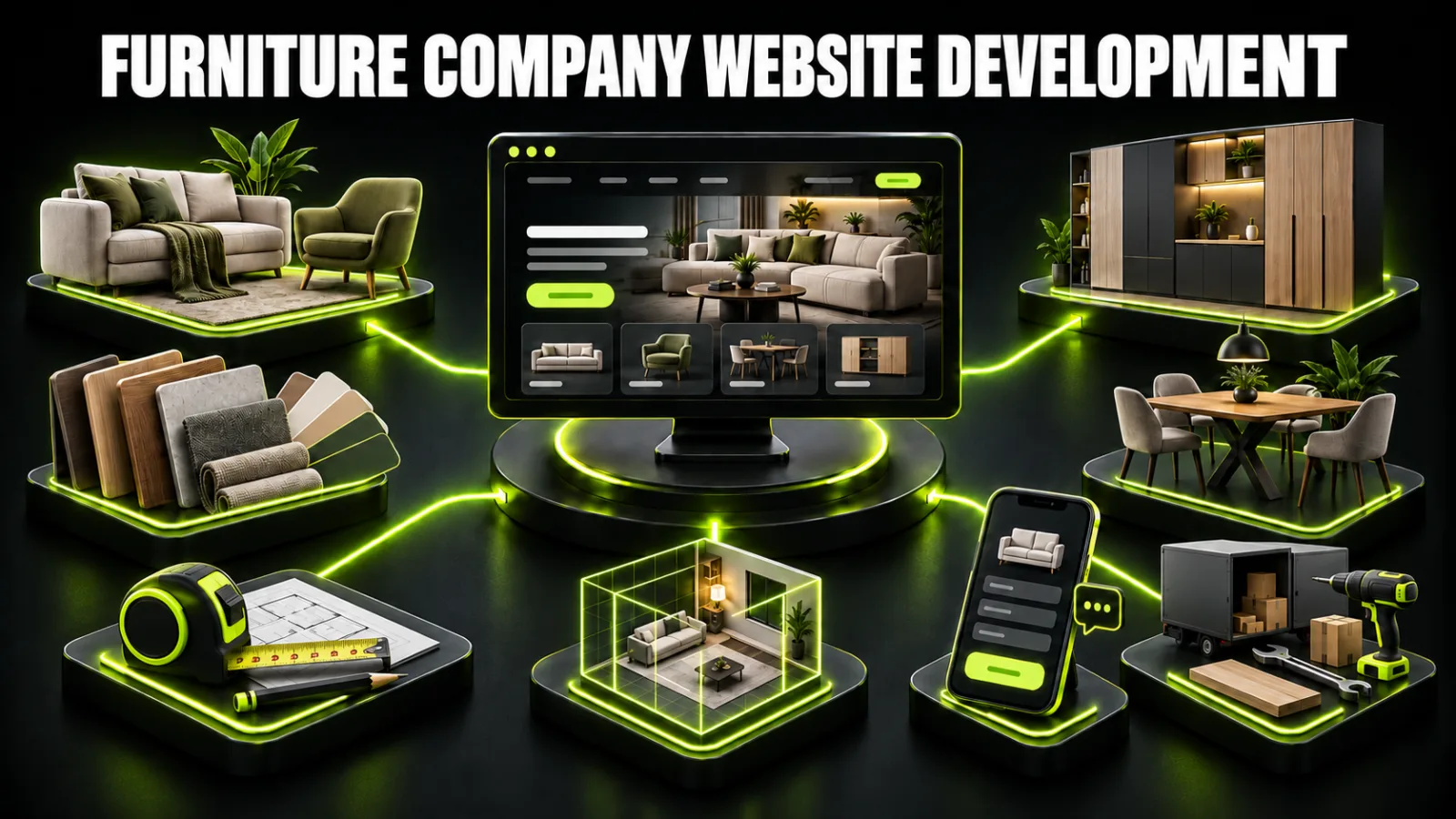
Furniture is not sold through one universal journey. A ready-made chair can be purchased in minutes. A sofa is compared by size, fabric, and mechanism. A custom kitchen cannot be estimated responsibly without dimensions, materials, fittings, and a site measure. When those journeys are forced into one template, visitors become confused and sales teams receive weak enquiries.
That is why custom furniture website development begins with the business model rather than visual decoration. The website must support the real transaction: online purchase, price request, measurement appointment, showroom visit, or B2B quotation.
This works for a showroom, dealer, or manufacturer where configuration affects price and a manager closes the sale. Visitors browse categories, filter models, inspect specifications, and request advice. Removing the cart does not justify empty cards; users still need enough information to make a qualified enquiry.
An online shop fits products with SKUs, controlled prices, stock, understandable variants, delivery, payment, and return rules. Ecommerce development includes checkout, payments, logistics, order status, feeds, and inventory synchronisation, not only a grid of products.
The main result is a qualified lead: furniture type, room dimensions, style, materials, budget, reference images, and measurement availability. Portfolio, estimating, and process explanation matter more than a standard cart.
Designers, architects, dealers, developers, and hospitality buyers need technical files, trade terms, collections, lead times, samples, logistics, and a specification request. Some information may require approved partner access, but the public catalogue must remain useful for discovery.
Help people find the right product. Categories, rooms, styles, and filters need a consistent logic.
Enable product evaluation. Dimensions, materials, colours, mechanisms, images, and terms must be concrete.
Show price or estimating logic. Even a custom project benefits from a credible range.
Reduce perceived risk. Production, measurement, delivery, installation, timing, payment, and aftercare are explained early.
Lead to the right action. Buy, request a quote, book a measure, visit a showroom, or download trade data.
Capture organic demand. Categories, products, materials, projects, and guides provide distinct entry pages.
Preserve lead context. CRM receives the item, configuration, source, and contact.
Measure revenue. A channel is connected to a quote, appointment, deposit, or completed purchase.
Complex catalogues may require custom business website development.
Ready-made furniture:
search or ad → category → filter → product → delivery and trust → cart → payment → delivery → repeat purchase
Custom furniture:
search or inspiration → product-type page → similar projects → materials and price → estimator → consultation → measure → design → quotation → order
B2B:
project need → category or collection → technical data → case study → trade terms → quotation request → samples → specification → agreement
These funnels should not share one form-submission KPI. They have different values, durations, and operational next steps.
| Page | Essential content | Primary action |
|---|---|---|
| Home | positioning, categories, collections, projects, proof | choose a journey |
| Catalogue | categories, filters, sorting, search | find a model |
| Category | subcategories, products, introduction, FAQ, links | open a card |
| Product | images, dimensions, materials, variants, price, delivery | buy or enquire |
| Portfolio | type, style, material, and budget filters | find a similar project |
| Project case | brief, dimensions, solution, materials, price, images | request something similar |
| Materials | finishes, fabrics, surfaces, fittings, care | compare options |
| Estimator | inputs and an explained price range | save or request estimate |
| Process | consultation, measure, design, production, installation | book a measure |
| Showrooms | addresses, hours, displays, directions | plan a visit |
| Delivery | areas, charges, access, assembly, timing | check conditions |
| About | factory, people, equipment, quality control | verify the company |
| Blog | planning, materials, dimensions, care, advice | visit a category |
| Contact | phone, messages, company details, form | make contact |
The foundation is covered in this business website structure guide.
Customers may begin with product type, room, style, or need. Build the primary hierarchy around stable product types such as sofas, beds, tables, wardrobes, and kitchens. “For small apartments,” “Scandinavian,” and room-based collections can become curated landing pages where demand and product depth justify them.
A filter should reduce the decision set, not expose every database column. Sofas benefit from width, shape, mechanism, bed size, fabric, and availability. Tables need shape, dimensions, material, and extension. Custom kitchens may use layout, style, front material, worktop, and budget.
Normalise attributes: beige is a colour, loft is a style, and velvet is a material. Clean data improves filtering, feeds, on-site search, and SEO.
Every filter combination may generate a URL. Indexing all of them creates thousands of thin, duplicate, or empty pages. Index only combinations with stable inventory, meaningful demand, sufficient products, unique headings, useful copy, and internal links. Keep other filters available to users while controlling canonicalisation, crawling, and indexation.
The card should answer pre-purchase questions:
Clear model name and furniture type.
Multiple angles, room context, and material close-ups.
Exact dimensions and a diagram.
Frame, finish, upholstery, filling, and fittings.
Available colours and configurations.
Price for the selected variant and valid discount.
Stock or production lead time.
Delivery, access, assembly, and geographic coverage.
Care, warranty conditions, and returns.
Reviews and questions.
Related models and compatible items.
Purchase or consultation action.
Do not place essential specifications only inside an image. Repeat critical data as accessible text and a structured table.
A custom-furniture case should reveal how the company solved a real constraint rather than display an anonymous gallery.
Include:
room type and broad location without a private address;
customer objective and planning constraints;
dimensions and configuration;
fronts, carcass, worktop, fabric, and fittings;
storage, lighting, appliance, or services decisions;
before image, visualisation, production, installation, and final result;
delivery timeline;
actual or indicative cost with date and included scope;
approved customer feedback;
“request a similar solution” action that sends the case ID.
Portfolio filters can cover type, style, layout, material, and budget. Each case still needs a permanent URL that can be shared, linked, and indexed.
Completely hiding price usually creates uncertainty and low-budget mismatch. Ready-made furniture should show the current selected-variant price. Custom makers can use:
completed projects with specifications and cost;
indicative ranges for defined scenarios;
module or linear-metre pricing with clear limitations;
material-tier packages;
an estimated range calculator;
a list of price drivers.
Never present a calculator result as a final quotation. Explain its assumptions and that the amount changes after measurement, design, and final material selection.
An estimator should provide useful output before requesting a phone number. Asking ten questions and then hiding the result damages trust.
A first kitchen estimator might use layout, length, front tier, worktop, fittings, and appliance integration. A wardrobe estimator could use width, height, depth, door system, interior, and finish. Version and date the formula, and allow staff review.
A configurator changes a specific model, compatible options, visual presentation, and price. Before development, define variant and compatibility rules. The interface must not promise a combination the factory cannot make.
Send every choice to the CRM with the enquiry. A sales adviser should see what the customer configured before making contact.
A materials page should do more than show supplier logos. Explain timber, veneer, MDF, particleboard, HPL, stone, acrylic, textiles, fillings, and fittings in customer language.
For each material, cover:
practical properties and limitations;
care requirements;
colours and textures;
compatible products;
effect on price and lead time;
consistent close-up photography;
projects using the material;
common questions.
Screens cannot guarantee exact colour reproduction. State this clearly and suggest checking a physical sample in the showroom or during measurement.
A useful structure separates intent without duplication:
/
/catalogue/
/catalogue/sofas/
/catalogue/corner-sofas/
/products/model-name/
/custom-furniture/
/custom-furniture/kitchens/
/portfolio/
/portfolio/oak-graphite-kitchen/
/materials/
/showrooms/luton/
/blog/
Categories need unique titles, H1s, useful introductions, products, subcategories, FAQ, and internal routes. Products need stable URLs, descriptions, attributes, images, current prices or quote rules. Colour variants do not automatically require separate indexable pages; the correct model depends on demand and meaningful differences.
Google recommends logical descriptive URLs and consistent use of the preferred address in internal links, sitemaps, and canonicals. A scalable implementation belongs within search engine optimisation.
Product markup must match visible information. Ready-made product pages may include name, images, brand, SKU, offer price, currency, availability, and genuine reviews. Google distinguishes product snippets, including pages without direct purchase, from merchant listings designed for purchasable offers.
Do not use a fictional £1 placeholder, fabricated rating, or “in stock” when production starts after order. Correct markup creates eligibility rather than a guaranteed rich result.
A showroom page needs the real name, address, hours, phone, directions, parking, entrance images, and available displays. Website and business-profile data must agree. Google describes local results mainly through relevance, distance, and prominence.
Every genuine showroom can have a unique page with its own imagery, collections, team, events, and appointment rules. Do not create city pages where the business has no real showroom or service capability.
Furniture research creates extensive editorial demand:
choosing dimensions for sofas, tables, beds, wardrobes, and circulation;
room planning and zoning;
material and fitting comparisons;
caring for timber, textiles, stone, and fronts;
furniture for small homes;
kitchen, wardrobe, and home-office ergonomics;
preparing for a measurement;
delivery, access, and installation;
ordering mistakes;
real cases with dimensions, budgets, and constraints.
Each guide should lead naturally to a category, material, project, or estimator rather than repeat generic trend lists.
Ready-made furniture can use search and shopping campaigns backed by an accurate feed. Price, availability, landing URL, and images must match the website. Custom furniture campaigns should separate kitchens, wardrobes, fitted storage, office furniture, and other distinct products.
Ads should land on the relevant category, portfolio selection, or estimator, not a generic homepage. Google Ads management can align targeting, feeds, and measurement.
Optimise for qualified measurements, accepted quotes, or completed sales rather than the cheapest form. The broader small-business customer acquisition plan connects paid search with content and retention.
Ready-made funnel:
category view → filter/search → product → cart → checkout → payment → delivery → return or repeat purchase
Custom funnel:
page/case → estimator → enquiry → qualification → measure → design → quote → approval → deposit → installation
Measure search, filters, product views, galleries, variant selection, estimator, form, calls, cart, and checkout. CRM should preserve source, item or case, configuration, status, owner, value, and loss reason.
Key metrics include:
catalogue search and filter use;
category-to-product rate;
product-to-enquiry or cart rate;
estimator completion;
enquiry-to-measure rate;
measure-to-quote rate;
quote-to-deposit rate;
average order and margin by category;
returns, cancellations, and loss reasons;
revenue by acquisition channel.
A large catalogue needs one source of truth for products, prices, attributes, and stock. The website may synchronise with ERP, CRM, warehouse, delivery, marketplaces, and advertising feeds. Define where each field is edited and how updates move.
For custom work, send estimator choices, files, preferred time, area, and reference project to CRM. B2B requests may include company, project, specification, documents, and assigned account manager. Use role-based access and test imports safely.
Photography drives selection, but dozens of heavy assets can make the catalogue unusable on mobile. Generate responsive sizes, use modern formats, lazy-load below the first screen, reserve predictable aspect ratios, and avoid loading every gallery image at once.
Show overall context, human scale, material detail, mechanisms, and dimensions. Label a 3D render so it is not mistaken for a completed installation. Photograph samples under consistent lighting and disclose potential screen colour differences.
Before purchase, explain:
delivery area;
fixed charge or calculation method;
free-delivery conditions;
stairs and lift access;
oversized-item access;
assembly scope and price;
estimated delivery window;
completeness inspection;
damage reporting;
care and post-installation service.
For fitted furniture, explain acceptance, adjustment visits, service, and responsibility for walls, utilities, and room preparation.
Categories, product cards, useful filters, company pages, delivery, showroom, enquiry, CMS, analytics, and technical SEO suit a smaller range without payment.
This adds cart, checkout, payment, shipping, account, order status, imports, stock, feeds, transactional analytics, and automation.
It needs filtered portfolio, case pages, materials, estimator, measurement booking, CRM, and content-led SEO architecture.
It may include partner accounts, roles, trade prices, technical files, specification requests, ERP integration, and multiple languages.
Cost depends on data volume, variants, filters, integrations, languages, content, estimation, and support. General factors are explained in how much a website costs in 2026.
Discovery: business model, products, regions, current sales, competitors, and goals.
Data model: categories, attributes, variants, prices, stock, and sources.
Search research: commercial, category, product, and informational clusters.
Architecture: URLs, navigation, filters, indexation, and internal links.
Prototype: home, catalogue, category, item/project, estimator, and checkout.
Content and design: copy, photography, data, components, and mobile states.
Build: CMS, imports, CRM, payment, shipping, feeds, and analytics.
QA: search, filters, pricing, orders, speed, SEO, accessibility, and security.
Launch and growth: indexation, advertising, reporting, new pages, and experiments.
Catalogues with live data need ongoing website support.
catalogue structure reflects factory terminology rather than customers;
attributes are free text and cannot support filters;
cards contain only a name and image;
price is hidden without any guidance;
portfolio is one unfilterable gallery without case URLs;
estimator captures a lead but hides the result;
every filter combination is indexable;
variants create duplicate product pages;
advertising feed conflicts with the website;
heavy photography blocks mobile browsing;
an enquiry loses product and configuration context;
campaigns are judged by forms rather than sales;
prices and stock are edited manually in several systems.
The model is defined: catalogue, ecommerce, custom, or B2B.
Categories and filters match selection behaviour.
Attributes are normalised.
Cards include imagery, dimensions, materials, price or quote logic.
Portfolio cases have individual URLs and parameters.
Estimator gives an explained result.
Delivery, assembly, payment, and timing are clear.
Filter and variant indexation rules are documented.
Product markup matches visible data.
CRM receives source, item, and configuration.
Analytics connect to sale or measurement.
Mobile catalogue and image performance are tested.
Ownership for price, stock, and content is assigned.
A strong furniture website begins with the sales model. Ready-made products need variants, cart, and logistics; custom products need cases, materials, estimating, and measurement; B2B customers need technical data and specification requests. When catalogue, SEO, advertising, CRM, and operations share one system, the website produces measurable orders rather than traffic alone.
To select the right format and design the architecture around your range, contact BB STUDIO.
 Web development
 Web development
 Web development
 Analytics and Conversion
 Let’s create something amazing together
