
We create digital solutions that work for businesses
If your site runs on Joomla 3 or 4, it is on a version that no longer receives security updates. The site still loads and enquiries keep coming in, so there seems to be no hurry. But every new vulnerability in the core or in a popular extension now stays open for good, and hosting providers are gradually removing the old PHP versions these sites depend on.
This article sets out a practical route to Joomla 5 and 6: which versions to go through, what each step requires of the server, what to do with your template and extensions, how to keep your Google rankings and how much the upgrade costs.
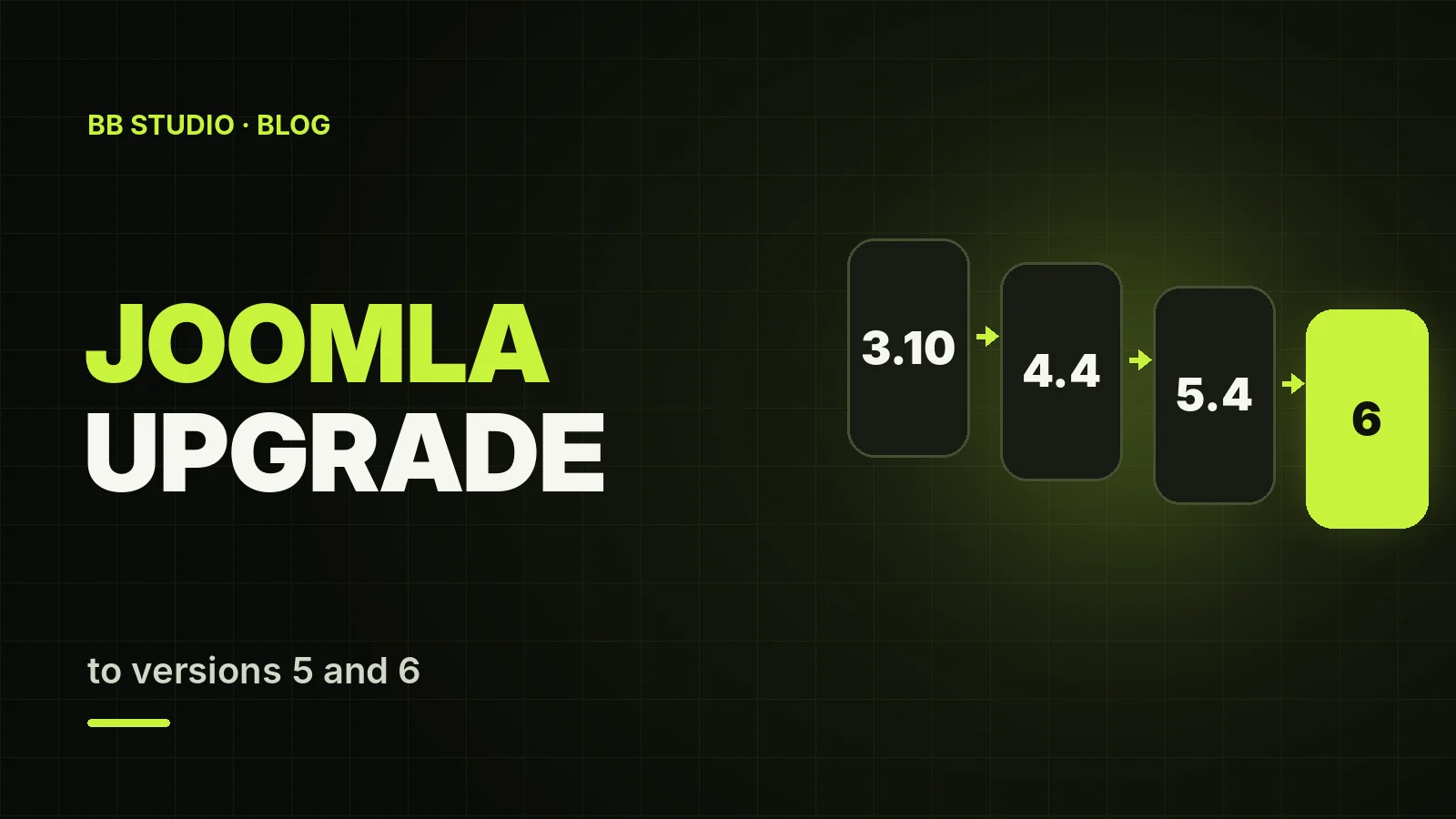
Joomla can only be upgraded one step at a time: 3.10 → 4.4 → 5.4 → 6. Before each step the site must be on the latest release of its current branch, and the server must meet the requirements of the next one: Joomla 4 needs PHP 7.2.5 or later, Joomla 5 needs 8.1 or later, and Joomla 6 needs 8.3 or later plus MySQL 8.0.13 or later. The core itself usually upgrades in the standard way, through the Joomla Update component in the admin panel. The real work lies in the template and extensions: Joomla 3 templates do not work in the new versions, and some extensions will have to be replaced.
Do the upgrade on a copy of the site, with a backup before each step and testing after it. Upgrading Joomla 4 to 5 or 6 usually takes 1–3 working days; moving from Joomla 3 takes one to two weeks.
| Version | Status | End of support | Minimum PHP version |
|---|---|---|---|
| Joomla 1.5 and 2.5 | no longer supported | 2012 and 2014 | PHP 4.3 / 5.2.4 |
| Joomla 3.10 | no longer supported | 17 August 2023 | PHP 5.3.10 (runs on up to 8.0) |
| Joomla 4.4 | no longer supported | 14 October 2025 | PHP 7.2.5 |
| Joomla 5.x | security fixes only | 12 October 2027 | PHP 8.1 |
| Joomla 6.x | current branch | actively supported | PHP 8.3 |
Joomla 6.0 was released on 14 October 2025, and version 6.2 followed in October 2026. So if your site is on Joomla 3 or 4 today, make Joomla 6 your target from the start: Joomla 5, the intermediate step, now only receives security fixes.
In the admin panel, open System → System Information: it shows the versions of Joomla, PHP, the database and the web server. The Joomla Update component shows the current version too. If the admin panel will not open, you can find the version in the file libraries/src/Version.php (in early Joomla 3 releases, libraries/cms/version/version.php), and the PHP version in your hosting control panel.
In Joomla 4 the developers rewrote a large part of the core: a new administrator interface, Cassiopeia as the default template instead of Protostar, Bootstrap 5 instead of Bootstrap 2 and a different extension structure. So moving from 3 to 4 is not a minor update but a migration. The 4 → 5 and 5 → 6 steps are simpler: each of them comes with a backward compatibility plugin that keeps old code working for one more release cycle.
What breaks most often:
Take a full backup of the files and the database — with your hosting tools or Akeeba Backup — and check that it can actually be restored. Then deploy a copy of the site on a staging subdomain, block it from indexing and turn on debug mode. Do all the following steps on the copy, while the live site carries on serving visitors. For more on backups, see our article on website backups.
Update the site to the latest 3.10 release and the extensions to their latest Joomla 3 versions. Draw up a table: every extension, its version, whether there is a release for Joomla 5 and 6, and what to do with it. In Joomla 3.10 the Joomla Update component has a built-in pre-update check: it shows which extensions have declared compatibility with Joomla 4 and whether the server meets the requirements. But the check relies on information supplied by developers, so confirm compatibility on the developer’s website and in the Joomla Extensions Directory (JED).
Joomla 4 needs PHP 7.2.5 or later, MySQL 5.6 or later, the json, simplexml, dom, zlib and gd PHP extensions and a database driver. Switch the copy to PHP 7.4 or 8.0: these versions suit both Joomla 3.10 and Joomla 4, so the site gets through the upgrade without a PHP change halfway through.
Temporarily switch the site to a default template, disable any extensions that have no Joomla 4 version and run the upgrade. After that, update the compatible extensions to their Joomla 4 versions and the core to the latest 4.4 release. Check the pages, the admin panel and the PHP error log.
Switch PHP to 8.1–8.3 and make sure MySQL is 8.0.13 or newer. During the upgrade to Joomla 5, the “Behaviour – Backward Compatibility” plugin is enabled: it keeps code written for Joomla 4 working. Update the extensions to their Joomla 5 versions and bring the site up to the latest 5.4 release.
Joomla 6 needs PHP 8.3 or later (8.4 recommended) and either MySQL 8.0.13+ or MariaDB 10.6+. Before upgrading, disable the old “Behaviour – Backward Compatibility” plugin — the new one, “Behaviour – Backward Compatibility 6”, is enabled automatically during the upgrade. If the server does not meet the requirements, the button to upgrade to Joomla 6 simply will not appear in the Joomla Update component.
Work through the checklist at the end of this article, turn off debug mode and only then move the upgraded site to the live domain. Keep the old version of the site archived for at least a month, so that you have something to check the data against if anything has gone missing.
| Joomla version | Minimum PHP | Recommended PHP | MySQL |
|---|---|---|---|
| 3.10 | 5.3.10 | 7.4–8.0 | 5.1 or later |
| 4.4 | 7.2.5 | 8.1–8.2 | 5.6 or later |
| 5.x | 8.1 | 8.2–8.3 | 8.0.13 or later |
| 6.x | 8.3 | 8.4 | 8.0.13 or later |
This path is easiest on hosting where the PHP version is chosen separately for each site: the copy runs on one version, the live site on another, and you do not have to move hosts halfway through the upgrade. Our Joomla hosting offers PHP 5.6 to 8.5, Apache mode with .htaccess or Nginx + PHP-FPM, and MySQL 8. We explain how these modes differ in our article Apache vs Nginx + PHP-FPM.
The template is the most visible part of the upgrade, because it is what visitors see. There are three workable options:
Check the template overrides in the template’s html folder separately: they were written for the old markup and may break how articles or menus are displayed after the upgrade.
| Situation | What we do |
|---|---|
| There is a version for Joomla 5 and 6 | update it and check the settings |
| The new version is paid-only | you buy a licence, or we choose a free alternative |
| The extension has been abandoned | find an alternative and migrate the data: forms, galleries, catalogue |
| The feature is now in the core | remove the extension: for example, custom fields in articles instead of a separate component |
| The extension is not used | uninstall it before the upgrade — less code, fewer risks |
The golden rule: after the upgrade you should have fewer extensions than before it. Every unnecessary extension is one more piece of code that has to be kept updated and could become a vulnerability.
.html suffix, article and menu item aliases;| Scenario | What is included | BB STUDIO price |
|---|---|---|
| Joomla 4 → 5 or 6 | audit, staging copy, core and extension updates, PHP 8.2–8.4, testing | from ₴3,000 |
| Joomla 3 → 5 or 6 | audit, upgrade via 4.4 and 5.4, design transfer, extension replacement, redirects | from ₴7,200 |
| Joomla 1.5 or 2.5 | content migration to a current Joomla version or another CMS | quoted separately |
| Support after the upgrade | updates, backups, monitoring, security, minor fixes | from ₴2,900/mo |
The final price depends on the number of extensions, the template, the language versions and the amount of content. We give you the price after the audit, before any work starts, and we do not ask for prepayment. Details are on the Joomla upgrade service page.
A Joomla upgrade is not a one-click job but a small project: an audit, a staging copy, the sequential steps 3.10 → 4.4 → 5.4 → 6, a new template and replacement extensions. In return, the site gets security updates again, runs on modern PHP and loads faster.
If you would like to hand this work over to us, get in touch with BB STUDIO: we will audit the site and give you a price before we start. To find out which PHP version to choose for other CMSs, see our PHP and CMS compatibility table.
 Google Ads
 SEO
SEO
 Hosting & tech
 Hosting & tech
 Let’s create something amazing together
